Content

For any 3D printing enthusiast, the hardware is only half the battle. To truly unlock limitless creativity—whether it's reverse-engineering a broken car part or digitizing a clay sculpture—you need a bridge between the physical and digital worlds. You need a reliable 3d scanner for printer workflows.
But the market in 2026 is crowded. If you have been reading 3d scanner reviews, you are likely confused by the sheer number of options. Today, we are conducting a deep-dive comparison. We are pitting the 3DMakerpro Moose against the market's heavyweights: Creality (Otter & Raptor), Revopoint (POP 3 Plus), and Shining 3D (Einstar). We will break this down by product landscape, brand philosophy, user feedback, specs, and use cases to find the ultimate winner.
1. Product Overview
a) Shining 3D (Einstar)
Shining 3D comes from an industrial background, and the Einstar is their attempt to bring that technology to consumers. It is a powerful device, but it demands a lot from the user.
Price: ~$959 USD
Pros:
-
High Data Density: Captures very dense point clouds, resulting in high-detail models.
-
RGB Color: Good at capturing texture and color information.
Cons:
-
PC Requirements: This is the biggest hurdle. It requires a high-end gaming PC (32GB+ RAM, NVIDIA RTX card). Standard laptops will crash.
-
Ergonomics: It is bulky and heavy (~500g+), making handheld scanning tiring after a few minutes.
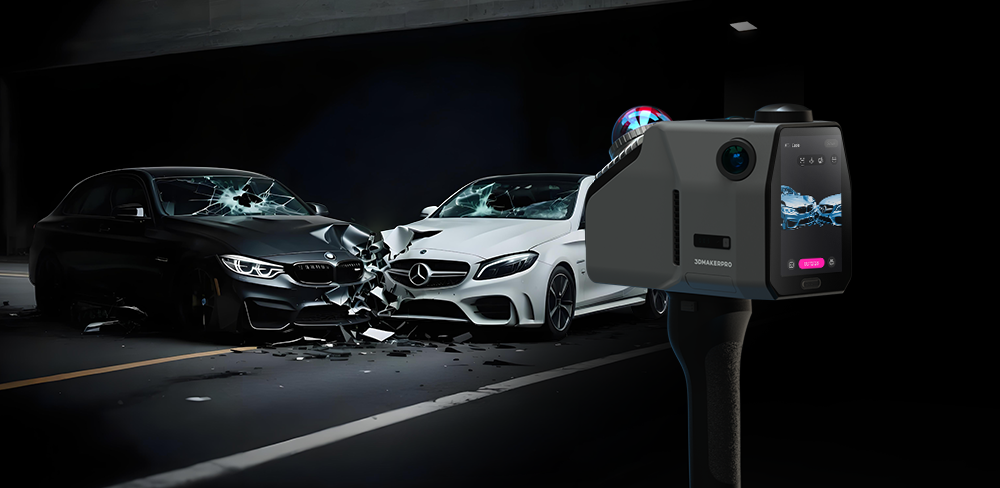
Application: Ideal for Cosplay, Fashion, and Automotive industries, specifically for scanning full human bodies for sizing costumes or armor, as well as capturing large exterior car parts like bumpers and seats.
Best For: Users with powerful workstations who need to scan human bodies or medium-to-large objects, where weight isn't an issue.
b) Creality (CR-Scan Otter)
Creality is ubiquitous in the 3D printing world. Their CR-Scan Otter is currently their flagship mid-range scanner, designed to handle objects of various sizes.
Price: ~$899 USD
Pros:
-
Material Adaptability: It performs relatively well on black or dark objects without needing scanning spray.
-
Stabilization: Features a “One-Shot” 3D imaging technology that helps with stabilization.
Cons:
-
Software Experience: As a generalist brand (making everything from dryers to printers), their scanning software often lacks the refinement of dedicated scanner companies. Post-processing can feel manual and clunky.
Price: At nearly $900, it sits at a higher price point than many direct competitors offering similar precision.
Application: Ideal for General Workshops and Prop Making, specifically for scanning diverse objects ranging from motorcycle helmets and dark rubber tires to large organic wood carvings or statues.
Best For: Die-hard Creality fans who want to keep all their equipment within a single brand ecosystem.
c) Revopoint (POP 3 Plus)
Revopoint focuses heavily on mobility. The POP 3 Plus is a compact scanner designed to be carried in a pocket and used with smartphones.
Price: ~$619 USD
Pros:
-
Portability: Very small and lightweight.
-
Mobile App: Decent app for scanning on the go without a computer.
Cons:
-
Tracking Stability: Reviews frequently mention “tracking loss.” It struggles with smooth, featureless objects, often requiring the user to apply marker stickers to maintain a lock.
-
Field of View: Its smaller field of view makes scanning medium-sized objects slower and more tedious.
Application: Ideal for Tabletop Gaming and Jewelry Design, specifically for digitizing tiny, intricate items like D&D miniatures (on a turntable), coins, or small hand-sculpted clay concept models.
Best For: Mobile users and those scanning very small trinkets who don't mind using marker dots.
d) 3DMakerpro Moose
The Moose is designed specifically for the desktop “Scan-to-Print” workflow. It prioritizes software intelligence (AI) to make the process easier for makers.
Price: ~$699 USD
Pros:
-
0.03mm Accuracy: High precision suitable for reverse engineering mechanical parts.
-
AI Visual Tracking: The standout feature. It allows for markerless scanning on objects that usually confuse other scanners. It is very forgiving of shaky hands.
-
JMStudio Software: A streamlined, automated software suite. It handles auto-alignment, noise removal, and hole filling efficiently, saving you hours of editing.
Cons:
-
Wired Connection: While stable, it prioritizes data speed over wireless freedom.
Application: Ideal for Reverse Engineering, DIY Repair, and Ergonomics, specifically for accurately capturing broken plastic gears for replication, custom mounting brackets, shoe lasts for orthotics, and game controller shells.
Best For: 3D Printing enthusiasts, DIY repair, and beginners who want professional results without a steep learning curve.

2. Specs Comparison
| Feature | 3DMakerpro Moose | Creality Otter | Revopoint POP 3 Plus | Shining 3D Einstar |
| Accuracy | 0.03mm | 0.02mm | 0.05mm | 0.1mm |
| Price | ~$699 | ~$899 | ~$619 | ~$959 |
| Tracking Stability | Excellent (AI Markerless) | Moderate | Moderate (Often needs markers) | Good |
| Software Ease | High (Automated JMStudio) | Moderate | Moderate | Low (Complex & Resource Heavy) |
| Technology | Blue Light + AI Algorithm | 4-Lens Stereo Vision | Structured Light | VCSEL Infrared |
| Scanning Range | 15mm-1500mm | 10mm-2000mm |
Small to Medium | Medium to Large |
| Weight | 280g | 390g | 190g | 500g |
| Color Scanning | Yes (24-bit) | Yes (24-bit) | Yes (24-bit) | Yes (High Fidelity) |
3. The Smart Choice for 2026
When choosing a 3d scanner for printer projects, the decision ultimately depends on what you plan to scan. Here is the final breakdown:
If you scan cars or full human bodies, choose Shining 3D.
If you scan dark tires or helmets, choose Creality Otter.
If you scan tiny tabletop miniatures, choose Revopoint.
But...
If you want to reverse engineer broken gears, design custom mounting brackets, or reproduce precise functional parts without fighting “lost tracking” errors, choose the 3DMakerpro Moose.

[Explore the 3DMakerpro Moose] – Precision made simple.

Featured collection
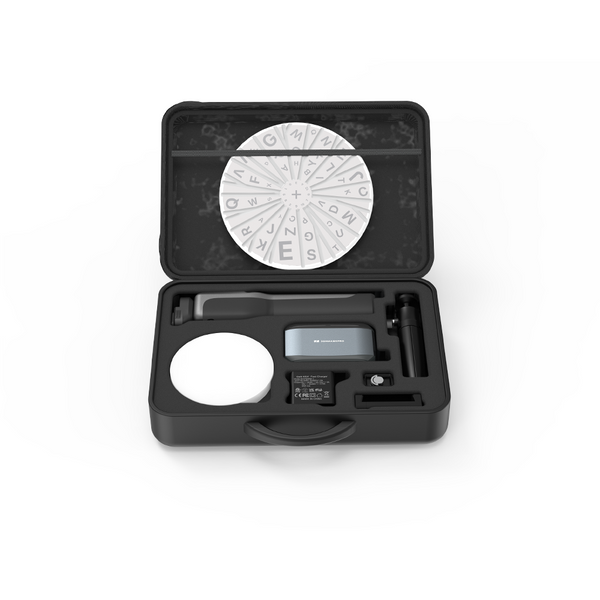
Carry Bag for Moose Series